Handle Quotation
Quotation is an important part of the order process. First, clients can use automatic quoting based on your configured base prices and fuzzy match discounts for each language pair. When clients have objections or additional requirements for the system-generated automatic quotation, they can request a new quotation. You can generate a more accurate quotation by adjusting TM files and using tag locking, or you can directly adjust the previous quotation. The system supports modifying quotations through word count adjustments, rate changes, adding discounts, and importing word count analysis logs from memoQ or Trados.
Regenerate Automatic Quotation
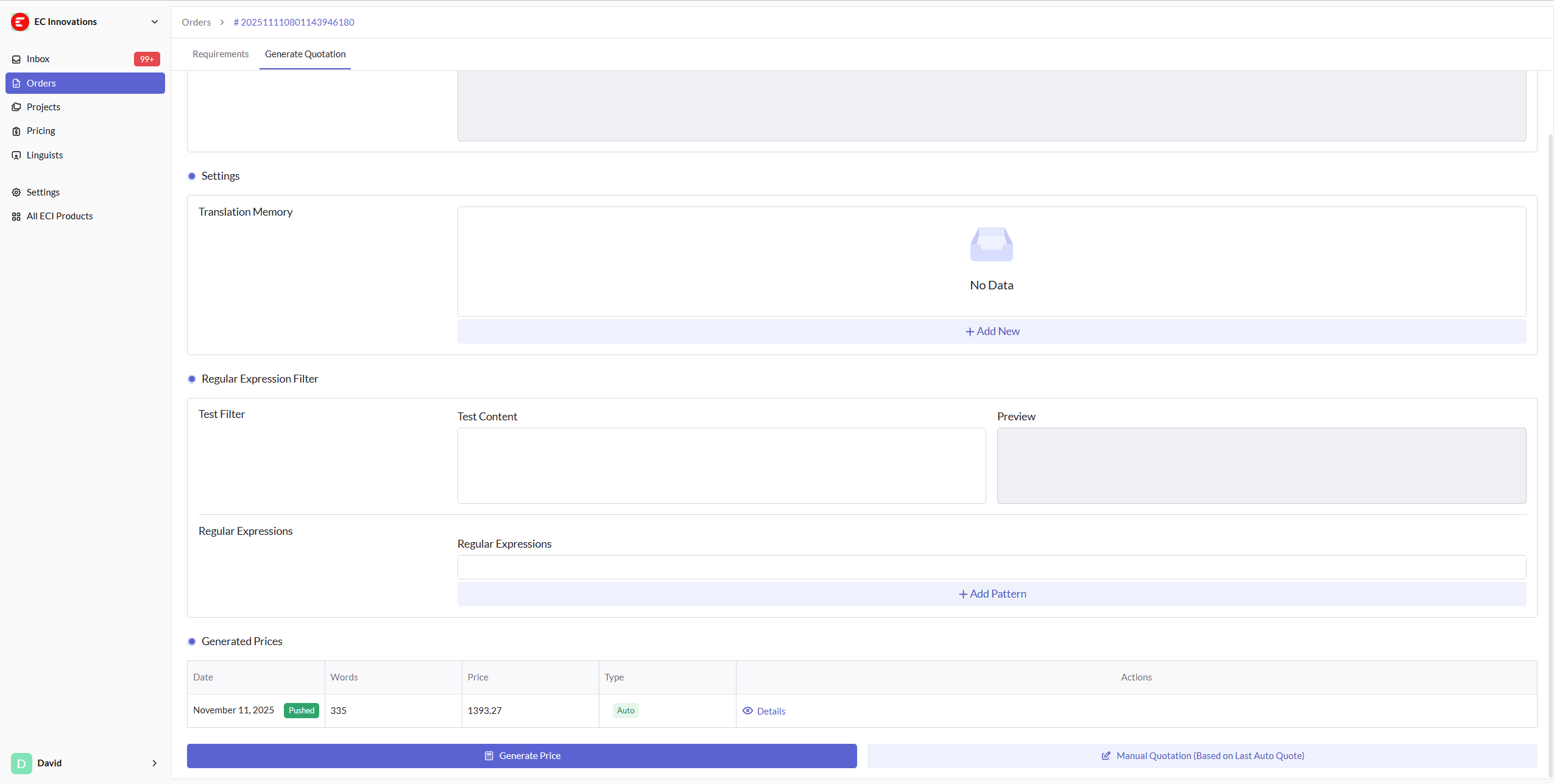
As shown in the figure below, you can add TMs, adjust the regular expressions for locked tags, and then click the "Generate Quotation" button in the bottom left corner to regenerate a new machine quotation.
Manual Quotation Adjustment
If you want to make more detailed quotation adjustments manually, or add discounts, or use offline word count analysis files (Trados/memoQ), click the "Manual quotation" button in the bottom right corner of the figure above to enter the manual price adjustment page.
Modify Word Count or Rates
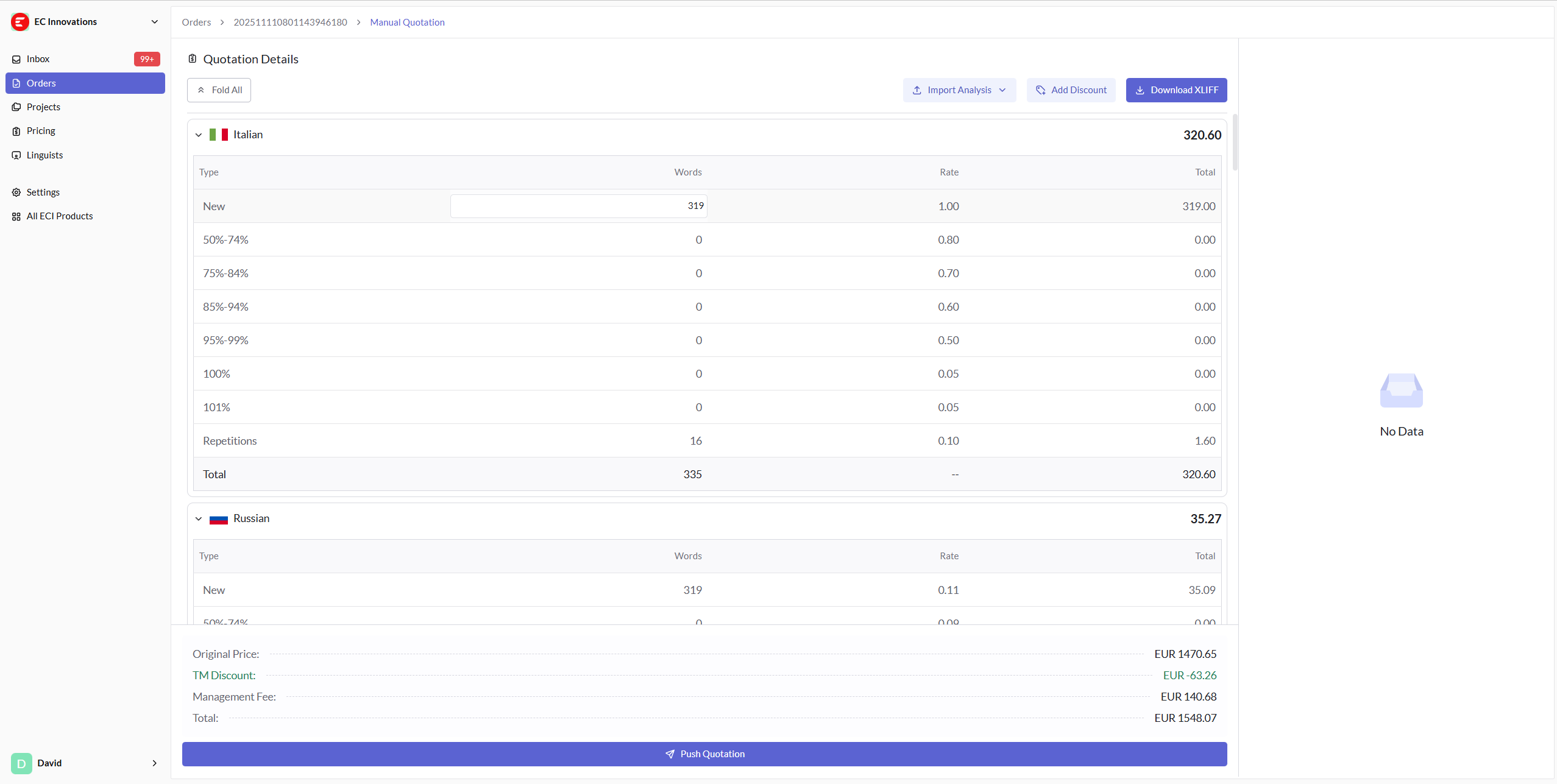
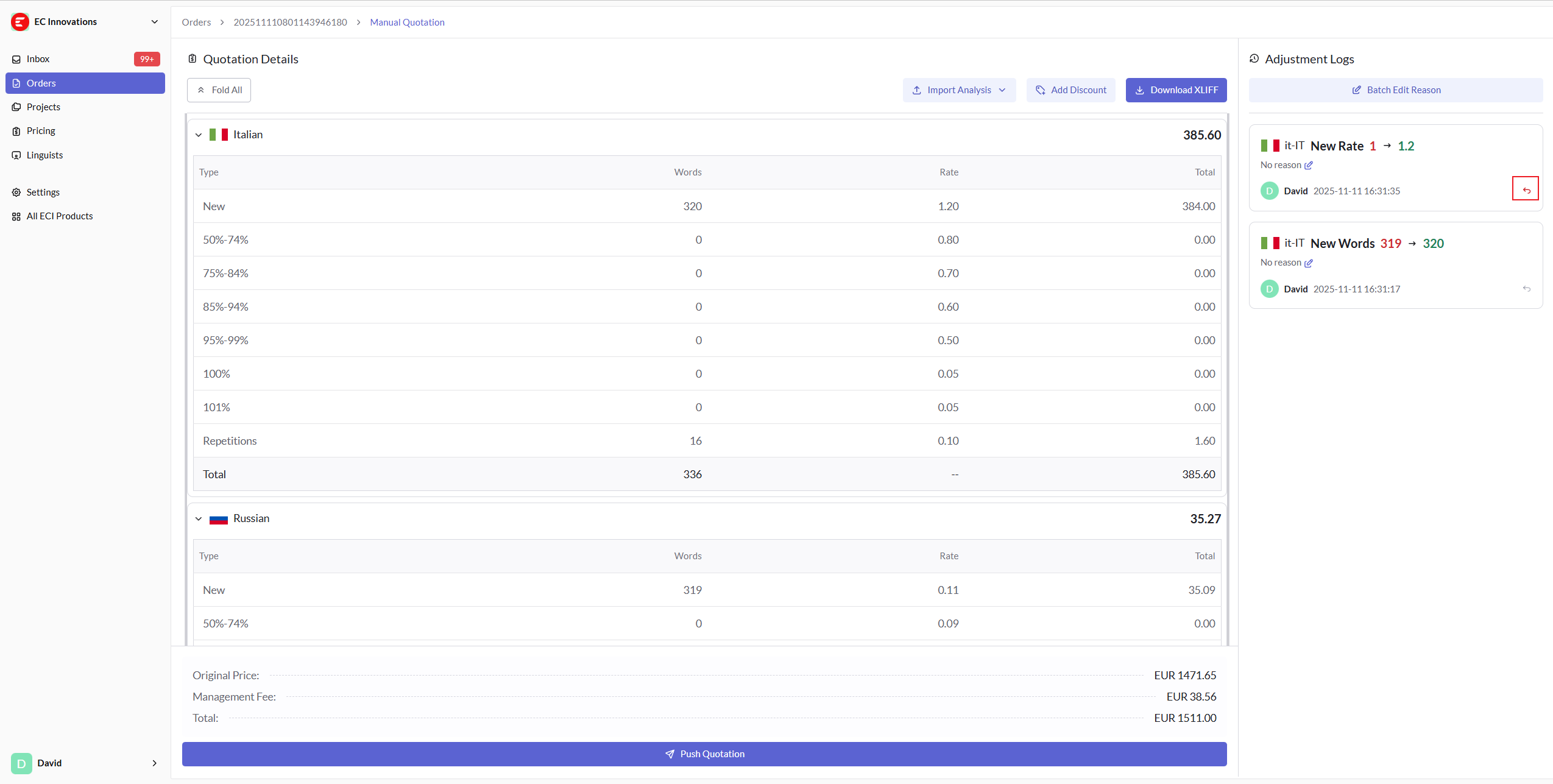
As shown in the figure below, you can click on any word count or rate to modify it directly. The total price will be recalculated in real-time after each modification. Each change will generate a modification record on the right side, and you can revert to any previous state by clicking the undo button marked in the figure.
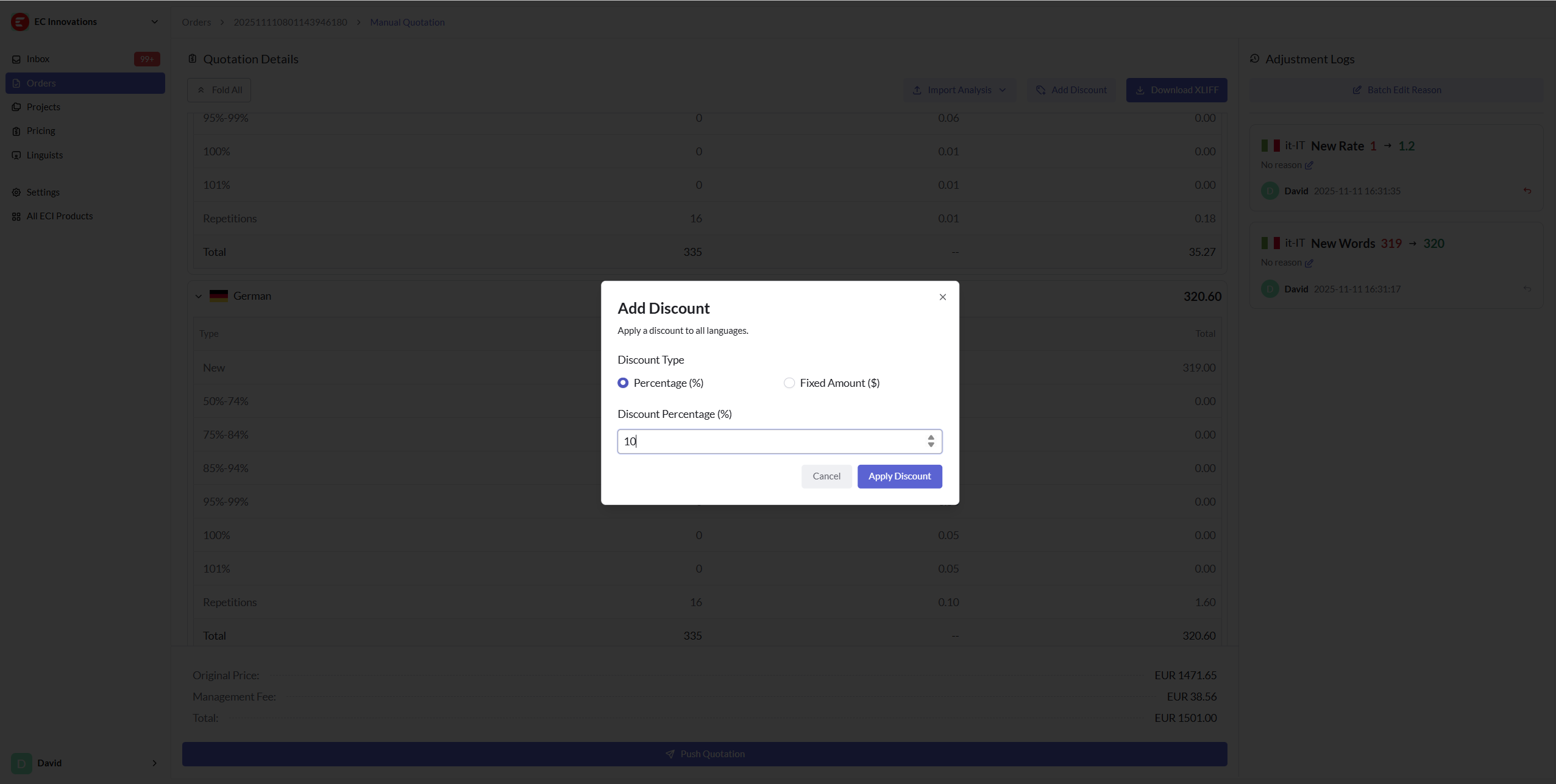
Add Discounts
Similar to price adjustments, click the "Add Discount" button to add discounts based on the current total price. Discounts are divided into percentage discounts and fixed amount discounts. Note that each quotation only supports one type of discount method - either percentage or fixed amount reduction.
Override Word Count Statistics Using Analysis Files
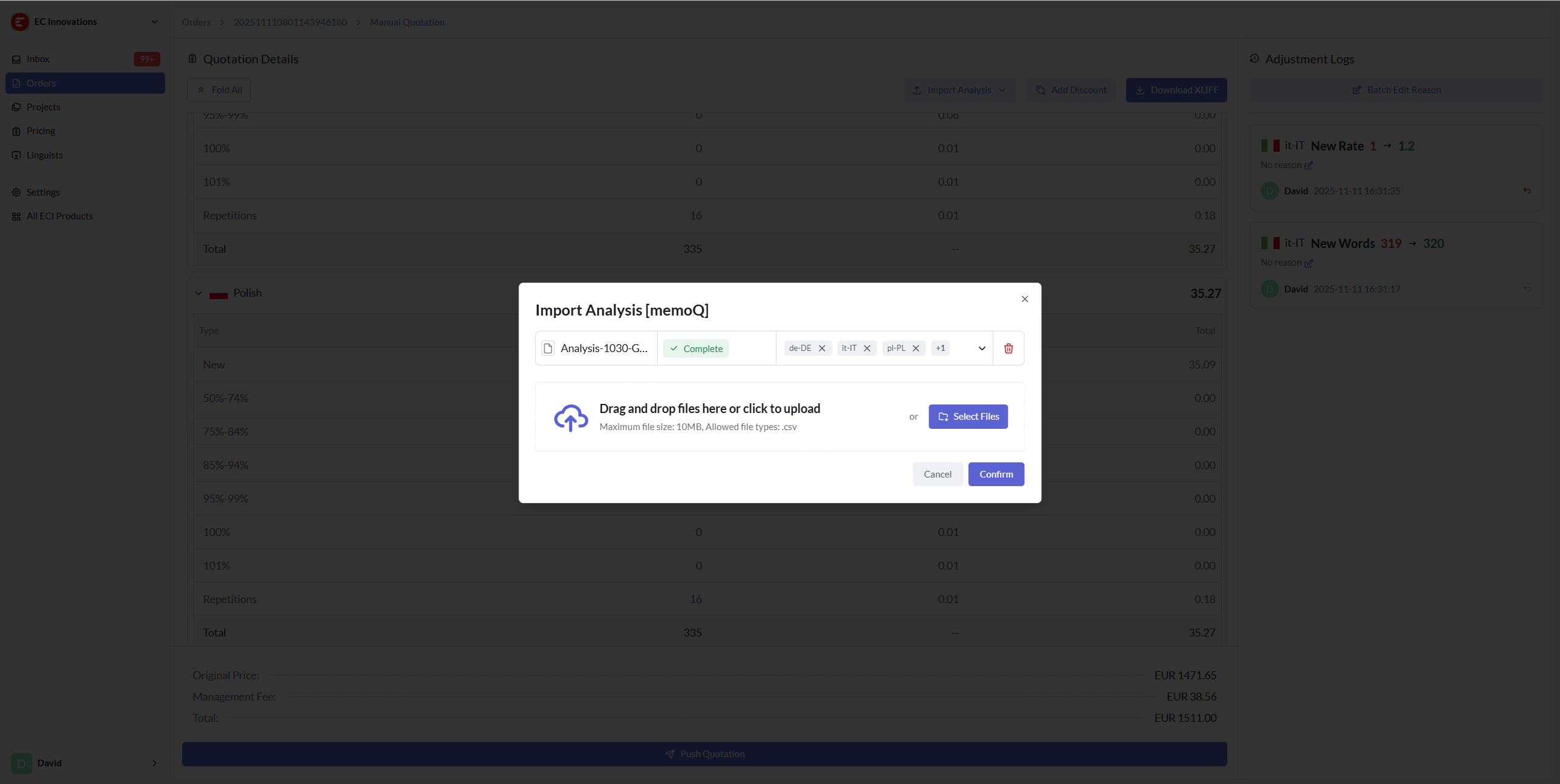
If you prefer to use traditional word count calculation methods, such as Trados or memoQ, you can click "Download XLIFF" to export the source files for this order. Then perform word count analysis using the mentioned tools, and finally upload the word count analysis report to Flow to override Flow's calculated word count.
The uploaded reports have the following limitations:
- Trados only supports XML format
- memoQ only supports CSV format
- Ensure each report file contains only one set (single file) of word count information
For word count analysis report recognition, target languages often cannot be accurately identified. If prompted that recognition failed, please manually specify the target language whose word count should be overridden.
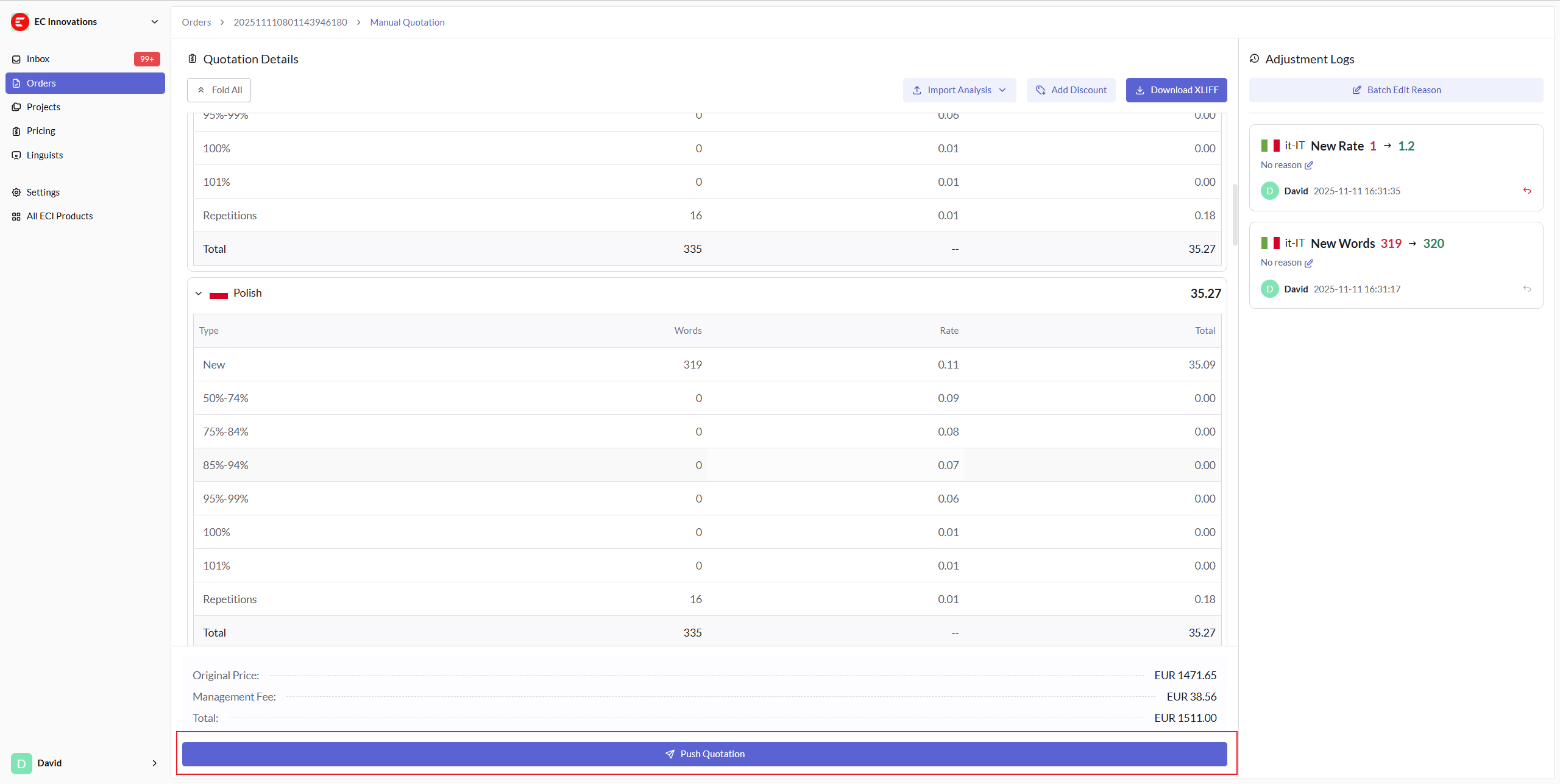
Push Quotation
If everything is ready and you are satisfied with the adjusted quotation, click the "Push Quotation" button. The client will receive a notification and will then begin reviewing the new quotation you have proposed.