Compare with Flow 1
What We've Upgraded
Workspace
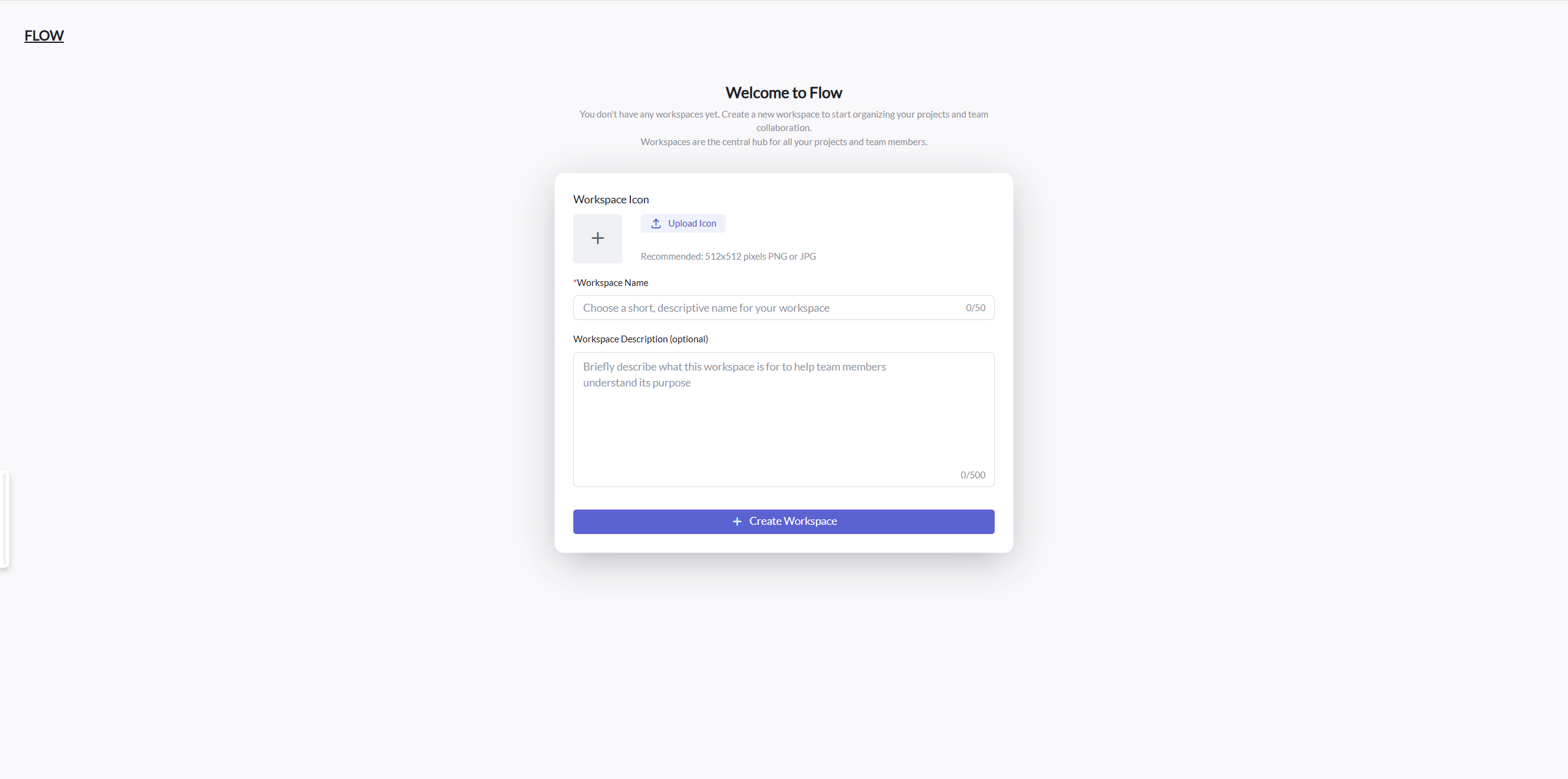
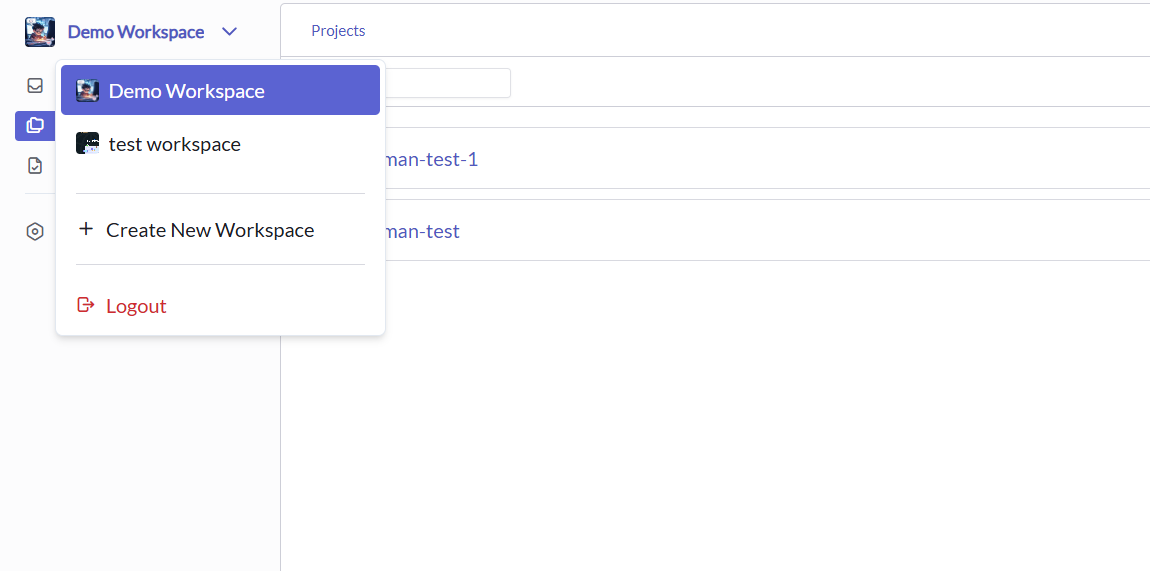
We recognize the importance of collaboration in complex organizations where different individuals may play various roles across different product lines. In Flow 2, we've introduced the concept of Workspaces, where each Workspace maintains independent data and configurations.
Within the Workspaces you create or manage, you can easily invite others to participate in your work with granular permission controls. When work responsibilities change, workspaces can be seamlessly transferred to others, aligning perfectly with natural work habits and organizational dynamics.
Enhanced Collaboration Framework
Workspaces serve as dedicated environments for teams to collaborate efficiently. Each workspace functions as an isolated container for projects, resources, and team members, allowing organizations to structure their work according to departments, projects, or clients. This isolation ensures that sensitive information remains accessible only to authorized individuals, while still enabling smooth collaboration within the workspace.
Flexible Permission System
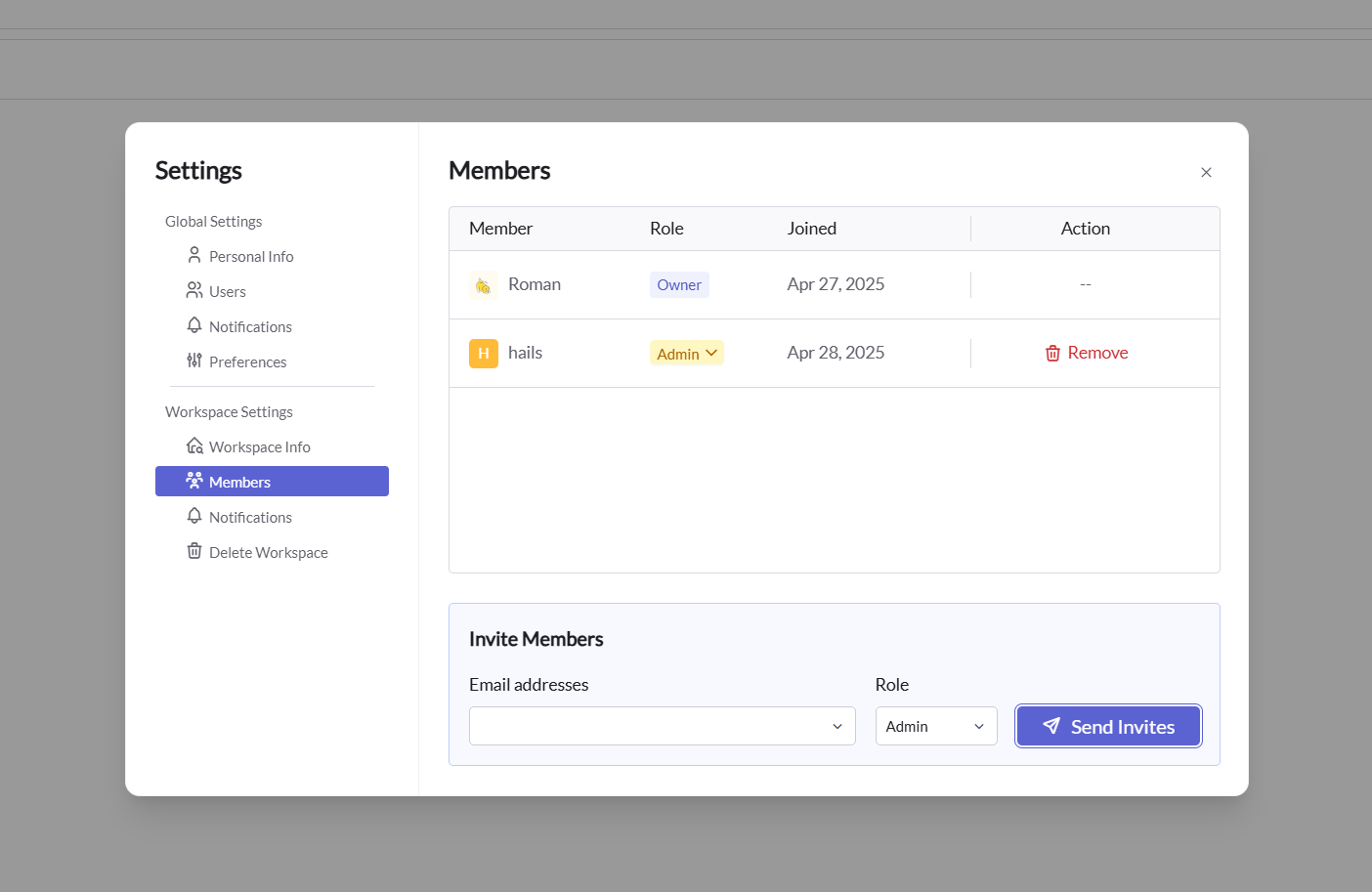
Flow 2's workspace model includes a sophisticated permission system that gives administrators precise control over who can access what. Permissions can be assigned at various levels:
- Owner: Full control over the workspace.
- Admin: Full control over the workspace, without the ability to delete workspace and change owner.
- Editor: Can edit all resources in the workspace.
- Viewer: Can view all resources in the workspace.
Cross-Workspace Visibility
While workspaces provide isolation for team-specific data, certain information is designed to be accessible across workspace boundaries. This cross-workspace visibility enhances user experience by:
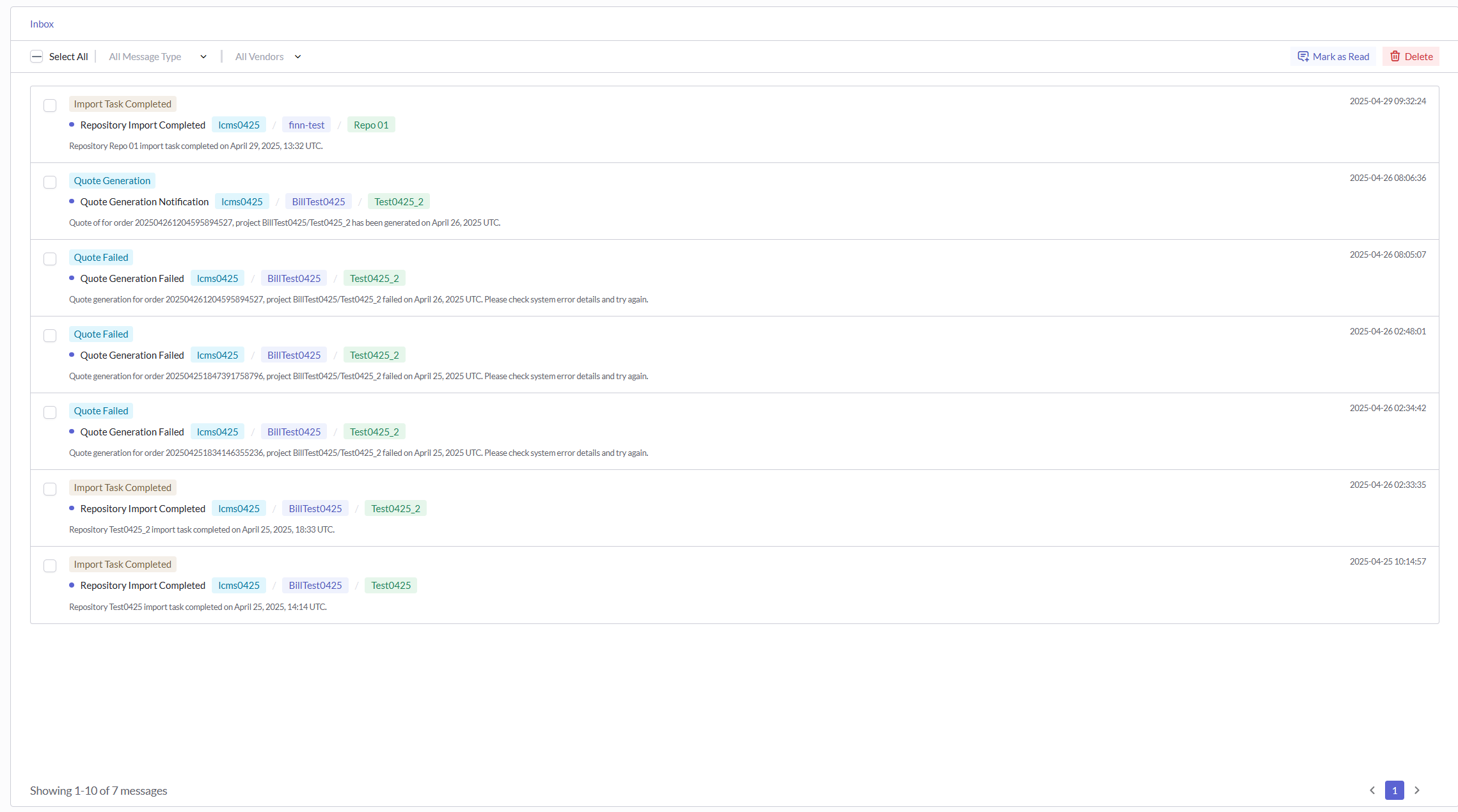
- Global Notifications: Notifications are accessible globally, eliminating the need to constantly switch between workspaces to stay updated.
- Upcoming Global Features: Future releases will include cross-workspace dashboards and analytics, providing organizational-level insights across all workspaces.
This balanced approach ensures both proper data isolation where needed and convenient access to information that benefits from broader visibility.
Separation of Localization and Translation
We recognize that the two sides of localization - clients and vendors - have completely different needs and focus areas. Therefore, we've made a fundamental restructuring of Flow 1's business approach by completely separating these domains:
LCMS (Localization Content Management System)
LCMS is dedicated to serving clients who focus on content and localization quality. It provides robust tools for content management, quality assurance, and oversight of the localization process from the client perspective.
TMS (Translation Management System)
TMS concentrates on optimizing the vendor experience for localization project management as well as the online translation experience for translators. This system is specifically designed around the workflow and needs of language service providers.
By developing these separate systems for different user groups, we can implement specialized optimizations tailored to each audience's unique requirements. This strategic separation will significantly enhance the platform's user experience moving forward, allowing both clients and vendors to work with tools precisely matched to their specific needs.
Scalable Data Source Integration Architecture
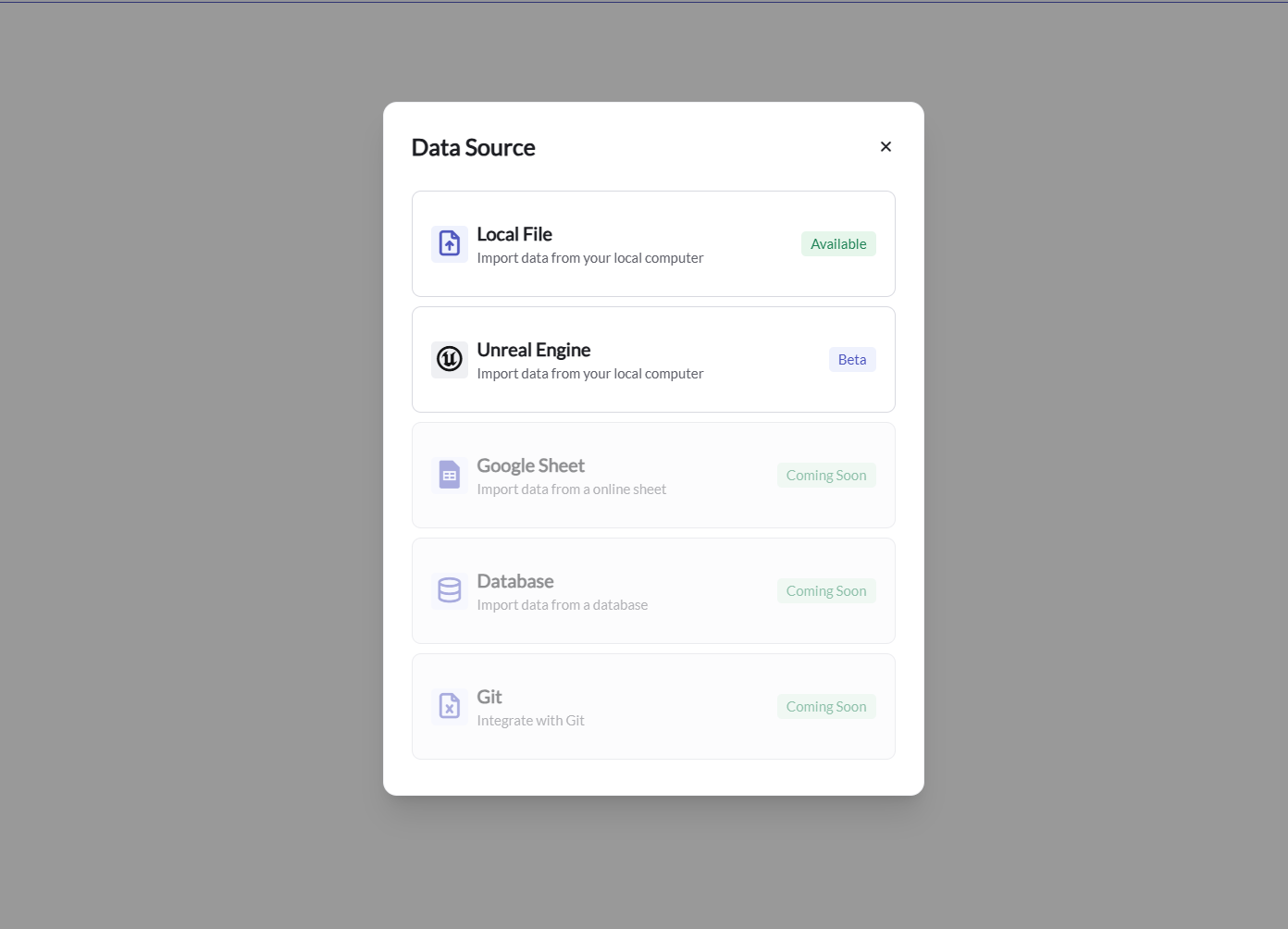
To accommodate diverse data sources and edge cases, we've implemented a more sophisticated abstraction layer for data source integration. This advanced architecture ensures that we can rapidly connect to various local files and online resources beyond the Excel File Kit.
Our flexible integration framework is designed to seamlessly handle multiple file formats including:
- PO Files
- JSON Files
- XML Files
Additionally, the system is equipped to integrate with online resources such as:
- Google Sheets
- Lark Tables
- Databases
- Git repositories
This higher level of abstraction in our integration architecture provides the foundation for swift adaptation to emerging data formats and sources. By implementing this forward-thinking approach, we've created a system that isn't bound to specific file types or platforms, but rather can evolve alongside changing industry needs and technological advancements.
Enhanced Content Management Module
We have completely redesigned the content management module, providing users with more powerful tools to organize, track, and manage localization content. These improvements address the practical needs of large-scale localization projects, significantly enhancing efficiency and visibility.
Localization Status Management
The new system introduces comprehensive status tracking features, allowing teams to monitor the localization progress of each content item in real-time:
- Language-specific Status: Independent tracking of completion status for each target language
- Automatic Status Updates: Content status automatically updated based on source editing events
Enhanced Version Control
Content version management has been upgraded to support more complex version control requirements.
Custom Views
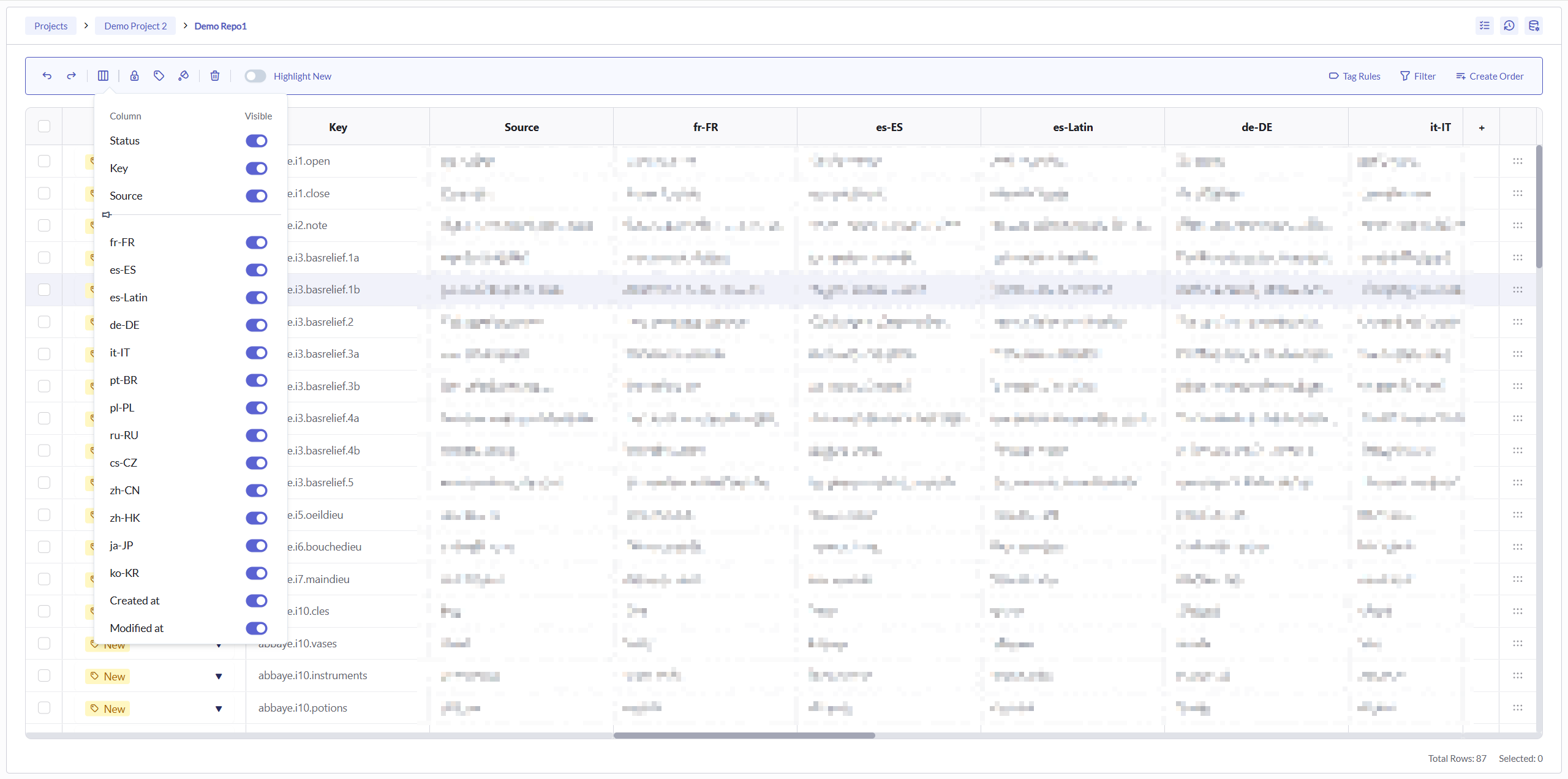
We've introduced a highly configurable view system to meet the working needs of different team members:
- Fixed Columns: Lock important columns in place while scrolling horizontally
- Column Width Control: Adjust individual column widths to optimize content visibility
- Column Visibility: Show or hide specific columns based on current needs
Advanced Filters
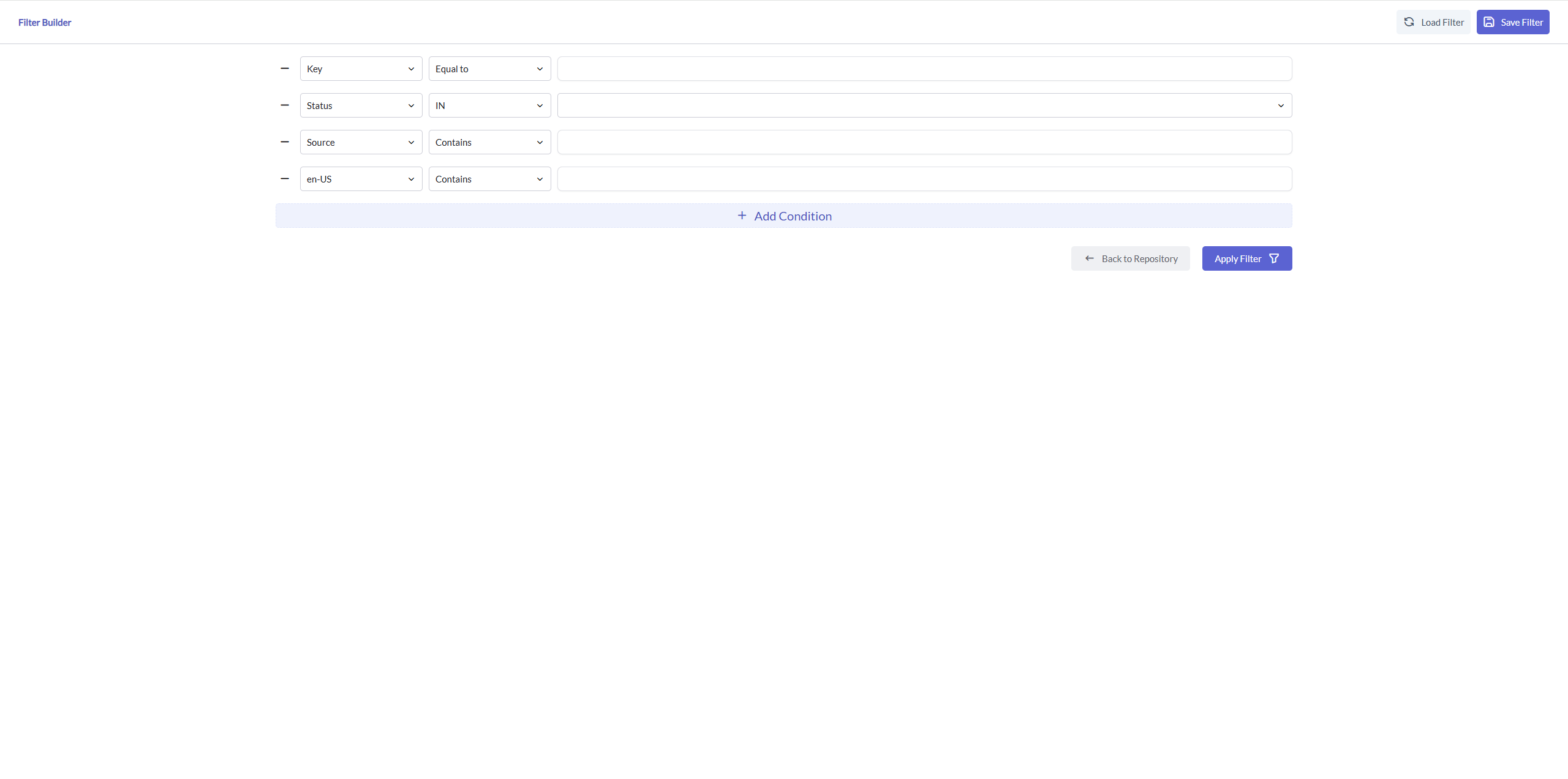
We've built a powerful filtering system to ensure users can quickly locate needed content:
- Compound Condition Filtering: Support for multiple conditions with AND/OR logic combinations
- Saved Filters: Save frequently used filter conditions as shortcuts
- Filter Templates: Preset various common filtering scenarios, applied with one click
High-Performance Tables
We've rebuilt the table component from the ground up, achieving significant performance improvements:
- Virtual Scrolling: Maintaining smooth scrolling experience regardless of data volume
- Incremental Loading: Loading data on demand, reducing initial loading time
- Column Fixing: Keeping key columns visible while browsing large amounts of data
- Intelligent Caching: Optimized data retrieval and rendering strategies, reducing resource consumption
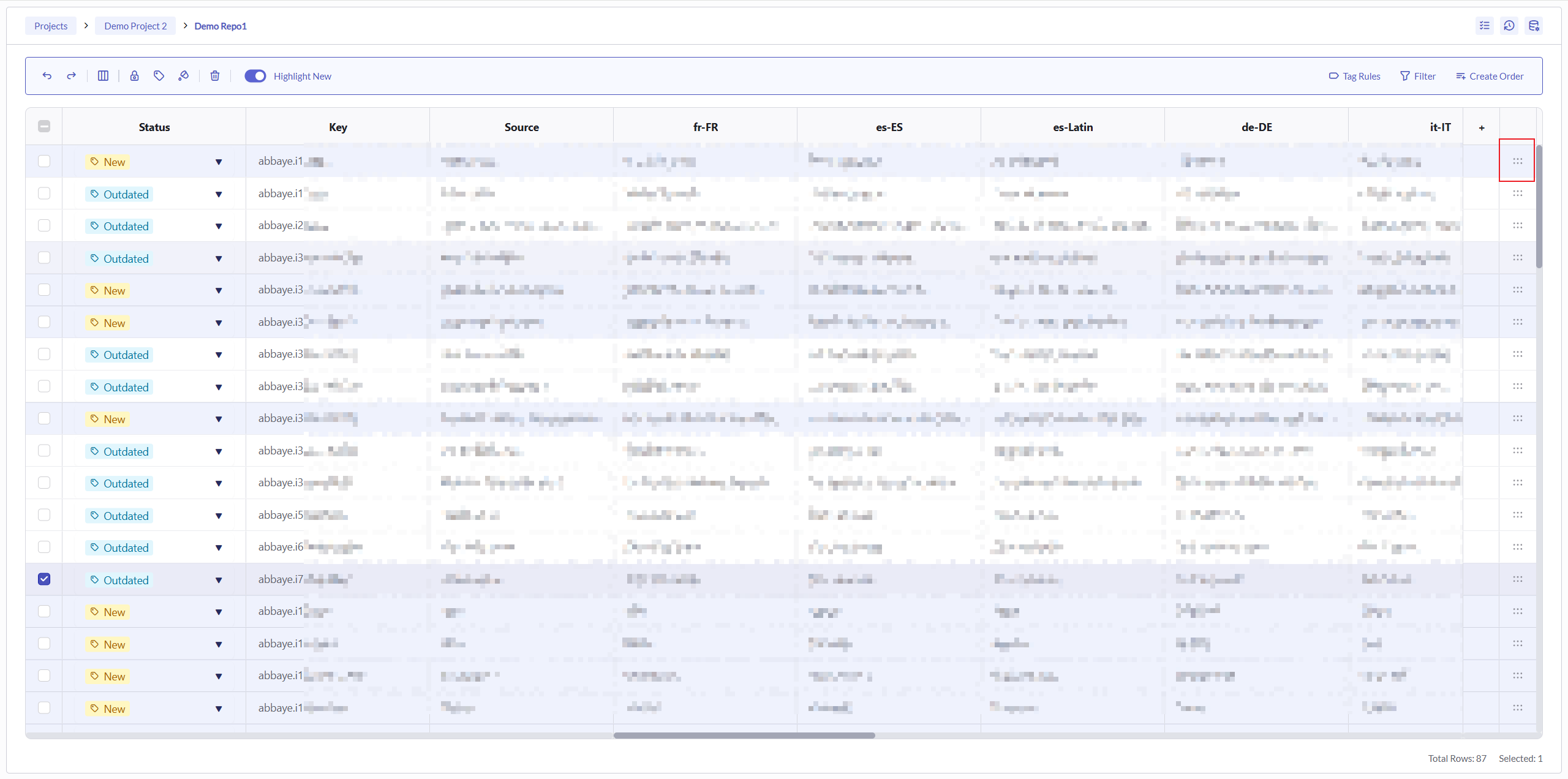
Bulk Operations
For large-scale content management, we provide convenient bulk operation features:
- Multi-select Operations: Select multiple content items simultaneously to perform the same operation
- Batch Editing: Update attributes of multiple content items at once
- Batch Status Updates: Change the status of multiple content items simultaneously
These enhancements collectively build a more efficient and intuitive content management experience, enabling teams to easily handle large-scale, highly complex localization projects.
Streamlined Vendor Onboarding Process
Our redesigned vendor onboarding system represents a significant evolution from Flow 1, providing a flexible framework that accommodates diverse vendor types and operational models. This system enables seamless integration with external language service providers while maintaining robust quality control and financial management.
Configurable Pricing Structure
The new vendor management system offers unprecedented flexibility in pricing configuration:
- Multi-tiered Pricing Models: Support for various pricing structures based on language pairs, content types, and service levels
- TM Match Discounts: Automated application of tiered discounts based on TM match rate
Comprehensive Translator Management
We've enhanced the translator information management system to provide better visibility and control:
- Translator Profiles: Detailed skill profiles including specializations, certifications, and performance metrics
Customizable Workflow Configuration
Our workflow engine now allows for precise definition of vendor-specific processes:
- Custom Step Definition: Configure unique workflow steps based on vendor capabilities and requirements
- Automated Notifications: Configure event-driven notifications for workflow transitions
Translation Environment Settings
The platform provides granular control over the translation environment for each vendor:
- CAT Tool Integration: Connect with our powerful Computer-Assisted Translation tools
- Language Assets Management: Configurable language assets